Upgrading
Upgrading From Source
Section titled “Upgrading From Source”Keeping your system up to date ensures you have the latest fixes, features, and general improvements. Upgrading ENiGMA½ can be a bit of a learning curve compared to traditional binary-release systems you may be used to, especially when running from Git cloned source.
You will generally be pulling from master, so the process is as follows:
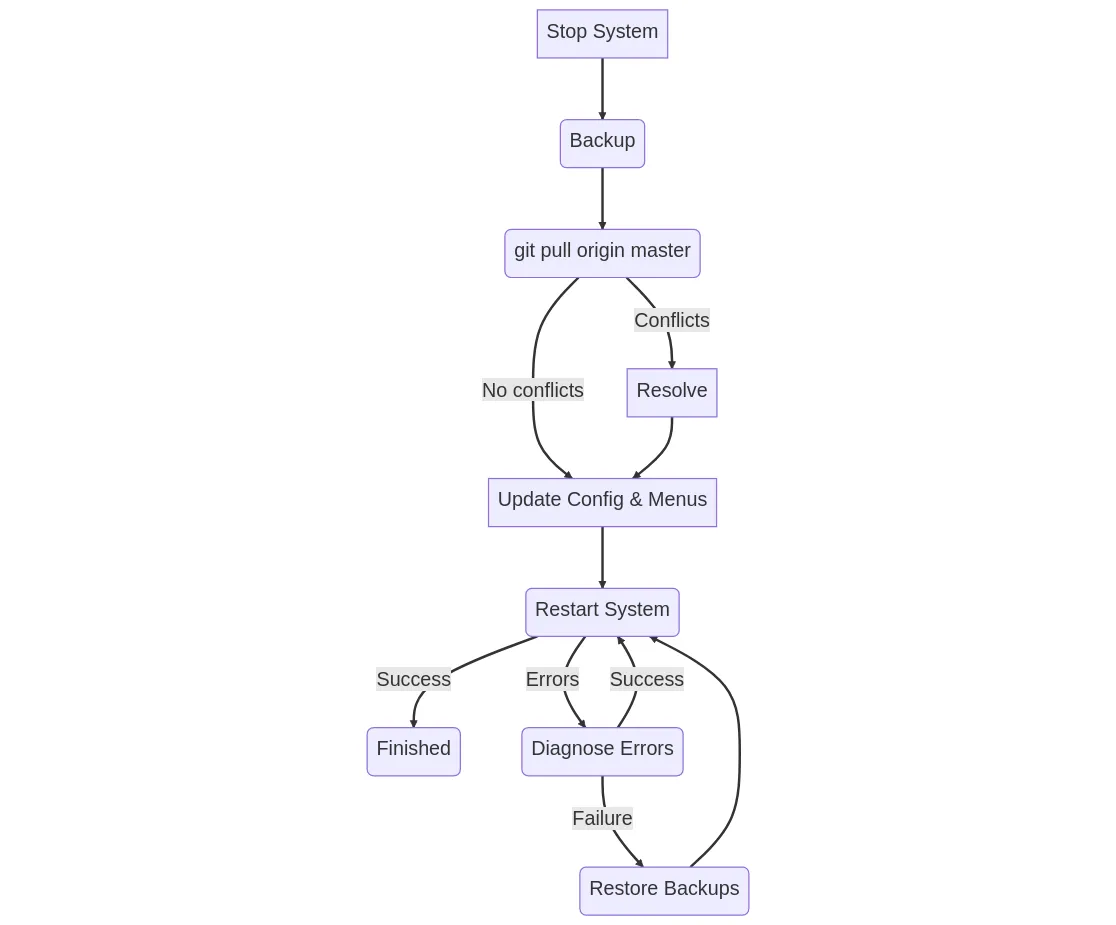
# stop system if runningcd enigma-bbs# BACKUP YOUR SYSTEMgit pull origin master# look for any errorsrm -rf node_modules # ONLY for Node.js upgrades!npm install # or yarn, etc.# 1. look for any errors# 2. update any configuration or menus# (you can also do most of this live)node main.js # restart systemBelow is a visual representation of this process:
Configuration File Updates
Section titled “Configuration File Updates”After an upgrade, it is possible that your system is missing new features exposed in the default theme/menu layout. To check this, you can look at the template menu files in misc/menu_templates, and config_template.in.hjson as well as the default luciano_blocktronics/theme.hjson files for changes/additions.
- Create a clean checkout of ENiGMA via
git clone https://github.com/NuSkooler/enigma-bbs.git enigma-bbs-cleanand run it to see any new features within the default configuration! - As the template files described above are likely what you built your system from, a visual diff viewer such as DiffMerge (free, works on all major platforms) can be very helpful for the tasks outlined above!
Something Went Wrong!
Section titled “Something Went Wrong!”See Installation & Upgrade Issues, which covers native module compile failures and the menu and theme entries an upgrade can leave behind.